Bring a clear photo
Upload, drop or paste a JPG, PNG or WebP up to 10 MB. A well-lit portrait with an unobstructed face gives the model more details to work with.
Your familiar face. A whole new illustrated world.
Upload a photo, explore 18 styles, and make the details your own.
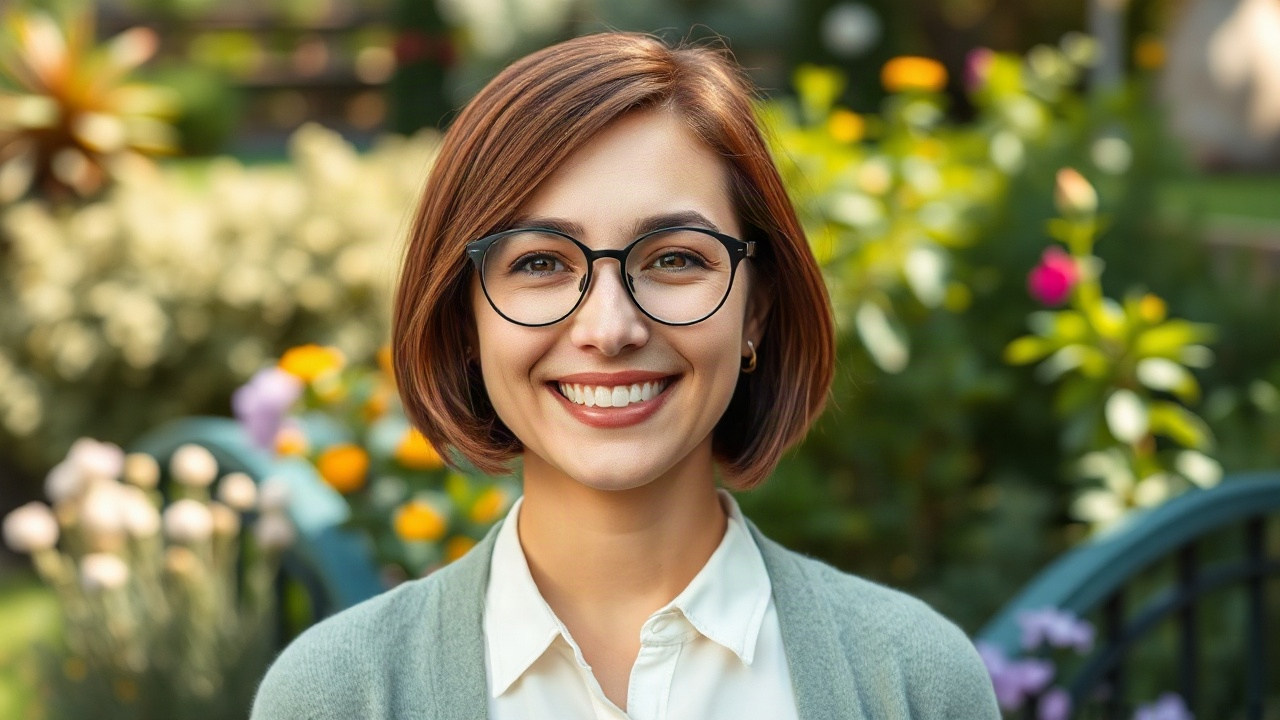
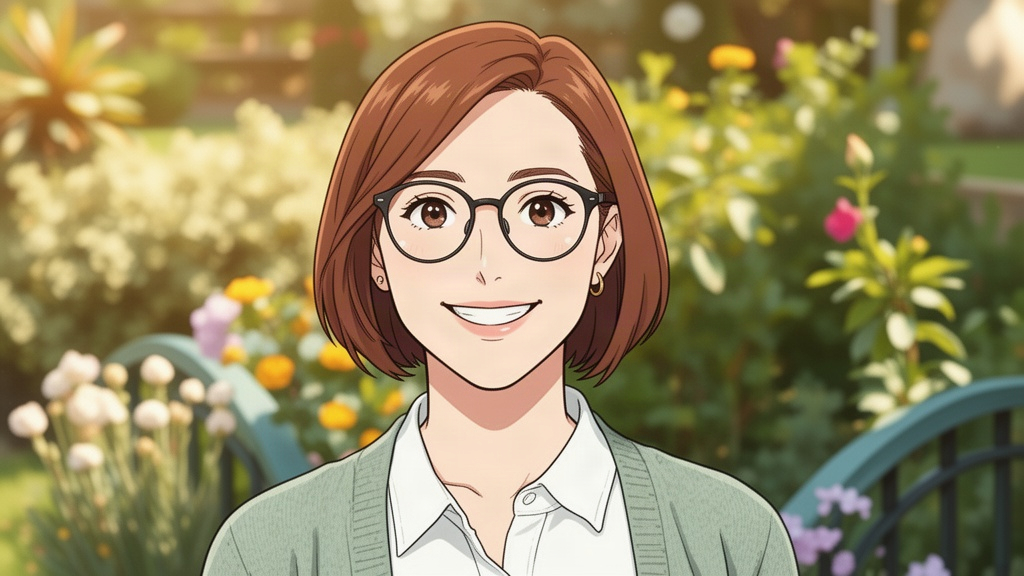
The glasses, chestnut bob and sage cardigan give this transformation a clear direction. Soft anime linework and painted greenery change the mood.
An AI-generated source portrait and its cartoon conversion, created for Maxsa.
Upload, drop or paste a JPG, PNG or WebP up to 10 MB. A well-lit portrait with an unobstructed face gives the model more details to work with.
Pick an anime, cartoon or art style. Set the transformation and background, then optionally describe details to keep, such as glasses, a hairstyle or your pet’s markings.
Sign in and confirm the credit quote to create your cartoon. Preview the new image and download it from the result card. Your original photo stays unchanged.
Choose a starting point.
The converter keeps every style within reach.
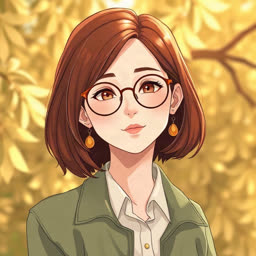
Start with soft linework for a profile portrait. Try cinematic light for a dramatic scene, or chibi when you want a playful, exaggerated avatar.
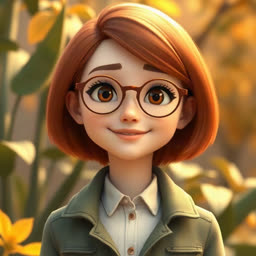
Give a pet or portrait rounded cartoon shapes. Explore clay, paper or plush textures when you want the result to feel handmade.
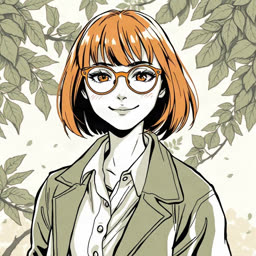
Choose manga for black-and-white ink, a comic look for confident color, or pencil and ink wash for a quieter illustrated keepsake.
Choose even lighting and a face large enough to see clearly. Keep hair, glasses and the outline of the subject in frame. Heavy filters, blur and crowded scenes leave the model less useful detail.
For a pet portrait, show the distinctive ears, coat pattern and markings. A simple background makes those details easier to describe.
You can leave the prompt blank, or be specific about one or two details:
“Keep my round glasses, short brown hair and green sweater. Use soft anime linework and a simple cream background.”
Keep likeness asks for more fidelity. Balanced stylization gives the new look more room. Reimagine freely invites a bigger change. Each new generation uses credits.
Once you have a portrait you like, bring the downloaded image to Image to Video for a short animated clip. Describe a small movement, such as a gentle breeze or a slow camera move.
Need a hand?
support@maxsa.ai
Upload a photo in the converter above, choose a style, and select Generate image. Extra directions are optional. Sign in and confirm the displayed credit cost to begin; your result appears in the studio when it is ready.
The converter has 18 looks across Anime, Cartoon and Art: soft and cinematic anime, watercolor, retro anime, chibi, cel-shaded, 2D and 3D cartoon, claymation, paper cutout, storybook, plush toy, manga, comic illustration, pixel art, pencil sketch, pop art and ink wash.
Choose Keep likeness and mention important features such as glasses, hairstyle or clothing. This guides the model toward a recognizable result, but it can still change facial details. Chibi and other strongly stylized looks deliberately alter proportions. Review the result before using it as an avatar.
You can upload these photos too. Use an image where each subject is clearly visible and describe the details to preserve. Multiple faces, overlapping bodies and small background subjects are harder to retain; start with a single subject when you want more predictable results.
Choose Keep original to request the same setting, Simple cream for a cleaner portrait, or Forest garden for an illustrated setting. Follow my prompt lets you describe another background. These are creative directions, so the model may also change nearby details.
No prompt is required for a direct conversion: a photo and a style are enough. Generate creates the image. Agent is optional when you want help refining the transformation brief, then you can use the prepared prompt to generate.
You can explore the style library and examples without paying. Creating an image requires an account and credits; there are currently no free generation credits. The current cost is shown before confirmation. See plans and credit packs.
The reference is sent to the AI provider to carry out your request; conversion does not happen entirely in your browser. Completed images are stored privately with your account. Read the privacy policy for processing, retention and deletion details.
Photo to Cartoon starts with an existing photo and reinterprets its subject. AI Cartoon Generator is the starting point for an original character or scene from a written description. For broader edits such as lighting or individual objects, try Image to Image.
Check the task status and give a queued job time to finish before starting another generation. If it stays stuck, email support@maxsa.ai with the tool name, approximate time, task ID if available, and a screenshot of the error. Please do not send passwords, sign-in codes or API keys.
For account access, generation issues, billing questions or feedback, email support@maxsa.ai. Include the email used for your account and a short description of what happened. Our contact page explains which details help us investigate.